Skip to content
709 Media Room709 Media Room
  • Login
    • No products in the cart.

      Return to shop

  • Cart

    No products in the cart.

    Return to shop

  • Online Courses
  • ENGLISH COURSES
  • Full Programs
  • Corporate training
  • How it Works
  • LIVE TRAINING
  • MORE
    • About Us
    • Free downloads
    • News
    • Tutorials
  • English
    • Español (Spanish)

Advanced IMF Creation Online Course

Home / Online Courses


Tania, student of the Online Course on Codecs, Formats, and Workflows

The videos in the online courses are very educational and up-to-date


DURATION

+1 HOURS


LEVEL

ADVANCED


NUMBER OF VIDEOS

9 VIDEOS


DOWNLOADABLE

Direct video download


Master advanced IMF package creation and learn to work with OV, VF, Textless versions, quality control, and professional validation in Colorfront Transkoder for audiovisual distribution workflows on international platforms.

OFFER!

36,00€ Original price was: 36,00€.18,00€Current price is: 18,00€.

Prices without VAT

Visa
MasterCard
Maestro
American Express
Klarna
PayPal

  • Description
  • An excerpt
  • Program
  • Objectives
  • Teaching Staff
  • Aimed at
  • Materials
  • + Info
  • FAQs

Contemporary audiovisual distribution demands managing a growing volume of versions, languages, territories, subtitles, audio tracks, metadata, and specific adaptations for each platform. In this context, IMF (Interoperable Master Format) has become the delivery system used by many leading platforms and international distribution services, such as Netflix or ViX, thanks to its ability to organize multiple versions of the same work within a modular and efficient architecture.

Unlike the traditional model based on generating a complete master for each variant, IMF allows you to reuse common elements and add only the necessary differences for each version, optimizing storage, reducing duplication, and facilitating localization, correction, and multi-territory distribution processes.

In our Advanced IMF Creation Online Course, you’ll delve into the structure and operation of the SMPTE ST 2067 standard, understanding how IMF packages are organized and the role played by elements such as CPL, PKL, Asset Map, MXF, OPL, and associated assets. We’ll also analyze the concept of IMF Applications, from profiles like APP2 and APP2C to others for preservation, ACES, or specialized workflows, learning to select the appropriate profile based on distribution needs.

An essential part of the course will be dedicated to the modular versioning philosophy that makes IMF an especially efficient tool for platforms and large distributors. You’ll learn to differentiate between an Original Version (OV) and a Version File (VF), and to use supplemental packages to introduce corrections, language versions, commercial variants, or Textless deliveries without needing to regenerate the complete master. We’ll also study the real-life cycle of a delivery, from the first submission to successive QC, correction, and approval processes.

Finally, we’ll transfer all these concepts to a professional workflow using Colorfront Transkoder. We’ll create and validate a complete IMF package in UHD, integrating video, stereo and 5.1 audio, subtitles, and Dolby Vision dynamic metadata. We’ll use automatic analysis and validation tools to verify package integrity and generate technical QC reports. We’ll conclude the course by creating Version Files and Textless versions, learning to work with multiple CPLs and interpret international platform delivery specifications.

We recommend taking our IMF export from DaVinci course before this one.

An excerpt

Program

  • IMF Fundamentals and Architecture
    Introduction to the SMPTE ST 2067 standard, its Core Constraints, and the modular philosophy that differentiates IMF from traditional masters.
  • Anatomy of an IMP Package
    Internal structure of an IMF: CPL, PKL, Asset Map, MXF, OPL, and complementary assets. Function of each element within the package.
  • IMF Applications and Profiles
    Comparison between APP2, APP2C, APP4, APP5 and other specialized profiles. Criteria for selecting the appropriate application based on the delivery destination.
  • Original Version and Version File
    Differences between OV and VF and the use of supplemental packages to optimize versions, languages, corrections, and commercial variants without regenerating the complete master.
  • QC and Delivery Lifecycle
    Workflow from the first delivery to final approval: quality control notes, localized corrections, and successive generation of supplemental versions.
  • Textless Versions and International Localization
    Creation of clean versions to facilitate language and territorial adaptations, respecting transitions, fades, and image continuity.
  • Professional Mastering with Colorfront Transkoder
    Configuration of IMF projects, metadata management, and use of delivery templates for platforms and studios.
  • Creation and Validation of an Original Version
    Generation of a UHD IMF with video, stereo and 5.1 audio, subtitles, and Dolby Vision dynamic metadata, along with automated package analysis and validation.
  • Creation of Version Files and Derived Deliveries
    Practical generation of patches, supplements, and Textless versions, working with multiple CPLs within the same mastering environment.

Objectives

  • Understand the architecture of the IMF (SMPTE ST 2067) standard and its application in professional audiovisual distribution environments.
  • Identify and analyze the main elements of an IMP package, including CPL, PKL, Asset Map, MXF, and OPL.
  • Differentiate the main IMF Applications and select the appropriate profile based on the delivery destination.
  • Understand the versioning logic using Original Version (OV) and Version File (VF) to efficiently create multiple variants of the same work.
  • Manage corrections derived from quality control (QC) processes using supplemental packages without needing to regenerate the complete master.
  • Create Textless versions and other derivatives intended for international localization and distribution.
  • Configure professional IMF projects in Colorfront Transkoder.
  • Generate a complete Original Version integrating video, multichannel audio, subtitles, and Dolby Vision dynamic metadata.
  • Create and validate Version Files, patches, and derived versions using the existing essences of the original package.
  • Use automated analysis and validation tools to check the technical integrity of packages and generate QC reports.

Teaching Staff

IMDB profile LINKEDIN

Jorge Iguaz | Colorist

EDITING AND IMAGE POST-PRODUCTION DEPARTMENT
Junior Colorist and Online Editor for X-Post Secuoya. He has worked on projects for film, TV and streaming platforms for national and international services such as Warner, Amazon Prime Video, Netflix, Movistar +, Vix +... Working with workflows in ACES, HDR and Dolby Vision, mastering in DCP and IMF. Graduated in Film from UCJC with high academic recognitions. Outside the field of postproduction, his work has been seen in festivals such as the Medina del Campo Film Week, the Madrid Short Film Week or the Cinema Jove in Valencia. You can check her LinkedIn profile and her IMDB page

Aimed at

This course is aimed at post-production, mastering, audiovisual distribution, and quality control professionals who want to deepen their understanding of IMF-based delivery workflows used by international platforms, studios, and distributors.

It is especially suitable for DITs, editors, colorists, lab technicians, delivery managers, QC personnel, and professionals from platforms or distributors who need to work with IMF packages, OV and VF versions, Textless deliveries, subtitles, multichannel audio, and advanced metadata.

It is also suitable for professionals who already work with traditional masters and want to understand how to transfer their workflows to a modular, versionable, and internationally-oriented distribution structure using tools like Colorfront Transkoder.

We recommend taking the IMF export from DaVinci course before this one.

Materials

All materials used in our courses are high-quality files, captured with professional cameras on the market.

+ Info

SOFTWARE USED: Colorfront Transkoder

We thank Nacho MF and Trigital for their collaboration in this course by providing the Colorfront Transkoder license.

–

Are you interested in our course? Do you need more information? You can see how our courses work here and all their legal terms and conditions here.

And if you wish, contact us at info@709mediaroom.com and we will answer all your questions.

Course Code:

CO-IMFA-GEN15

FAQs

Have questions? You can see here how our courses work and here all their legal terms.

Not sure where to start? Discover our Complete Training Programs

You may also like…

Sale!
online codecs course
Add to wishlist

Online Courses

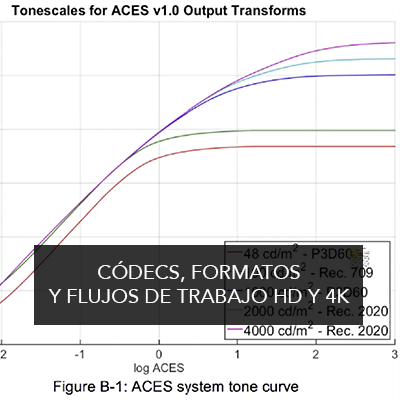
Online Course on Codecs, Formats, and HD and 4K Workflows

99,00€ Original price was: 99,00€.49,00€Current price is: 49,00€.
Add to cart
Sale!
ONLINE COURSE DCP CREATION
Add to wishlist

Available in English

Online Course Creation of DCP 4K 🇪🇸🇬🇧

69,00€ Original price was: 69,00€.34,00€Current price is: 34,00€.
Add to cart
Sale!
Online Course DaVinci Resolve Conforming
Add to wishlist

Online Courses

Online Course DaVinci Resolve Conforming

50,00€ Original price was: 50,00€.25,00€Current price is: 25,00€.
Add to cart
Sale!
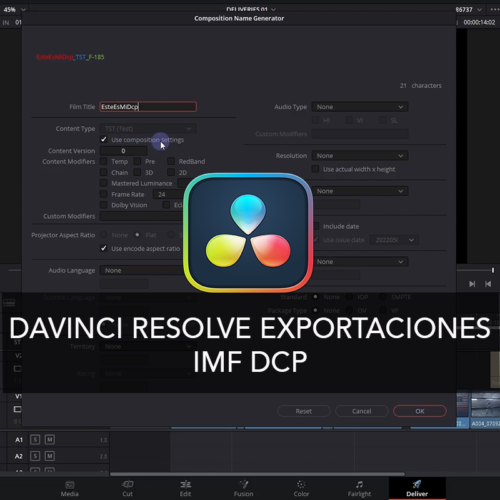
Online course DaVinci Resolve Exports IMF DCP 🇪🇸🇬🇧
Add to wishlist

Available in English

Online course DaVinci Resolve Exports IMF DCP 🇪🇸🇬🇧

50,00€ Original price was: 50,00€.25,00€Current price is: 25,00€.
Add to cart
Sale!
DaVinci Resolve Online Course: Project and Color
Add to wishlist

Online Courses

DaVinci Resolve Online Course: Project and Color

84,00€ Original price was: 84,00€.42,00€Current price is: 42,00€.
Add to cart

Any questions? Check out our "how the courses work" section

They are very well structured courses given by real professionals and very easy to follow in order to deepen your knowledge of the tools.

Carlos / Alumno de los cursos de DaVinci. España

Good and affordable courses

Álvaro / Alumno de los cursos de color y DaVinci. España
training
  • Uncategorized
Follow Us!
Follow Us on FacebookFollow Us on TwitterFollow Us on Instagram
SIGN UP TO ACCESS ALL FREE CONTENT

    BASIC INFORMATION ABOUT DATA PROTECTION

    Controller: Luis Ochoa Purpose: To send information about products or services that may be of interest Legal basis: Consent of the interested party. Recipients: Data will not be transferred to third parties unless legally obligated. Rights: You can exercise your rights of access, rectification, deletion, limitation, opposition, and other legally established rights at any time through the following email: info@709mediaroom.com. Additional information: You can consult additional and detailed information about data protection here.

    • Legal Notice, Privacy Policy and Cookies
    Copyright 2026 ©
    • Online Courses
    • ENGLISH COURSES
    • Full Programs
    • Corporate training
    • How it Works
    • LIVE TRAINING
    • MORE
      • About Us
      • Free downloads
      • News
      • Tutorials
    • English
      • Español (Spanish)
    • Login
    709 Media Room
    Gestionar el Consentimiento de las Cookies
    We use cookies to optimize our website and our service.
    Funcional Always active
    El almacenamiento o acceso técnico es estrictamente necesario para el propósito legítimo de permitir el uso de un servicio específico explícitamente solicitado por el abonado o usuario, o con el único propósito de llevar a cabo la transmisión de una comunicación a través de una red de comunicaciones electrónicas.
    Preferencias
    El almacenamiento o acceso técnico es necesario para la finalidad legítima de almacenar preferencias no solicitadas por el abonado o usuario.
    Estadísticas
    El almacenamiento o acceso técnico que es utilizado exclusivamente con fines estadísticos. El almacenamiento o acceso técnico que es utilizado exclusivamente con fines estadísticos anónimos. Sin una requerimiento, el cumplimiento voluntario por parte de su proveedor de servicios de Internet, o los registros adicionales de un tercero, la información almacenada o recuperada sólo para este propósito no se puede utilizar para identificarlo.
    Marketing
    El almacenamiento o acceso técnico es necesario para crear perfiles de usuario para enviar publicidad, o para rastrear al usuario en un sitio web o en varios sitios web con fines de marketing similares.
    • Manage options
    • Manage services
    • Manage {vendor_count} vendors
    • Read more about these purposes
    View preferences
    • {title}
    • {title}
    • {title}

    Login

    Lost your password?

    • English
    • Español (Spanish)