Skip to content
709 Media Room709 Media Room
  • Login
    • No products in the cart.

      Return to shop

  • Cart

    No products in the cart.

    Return to shop

  • Online Courses
  • ENGLISH COURSES
  • Full Programs
  • Corporate training
  • How it Works
  • LIVE TRAINING
  • MORE
    • About Us
    • Free downloads
    • News
    • Tutorials
  • English
    • Español (Spanish)

DaVinci Resolve Online Course: Editing for Fiction and Commercials

Home / Online Courses / Intermediate


Enrique Domingo, 709 Media Room user

Practical and to the point, perfect for improving my editing workflow.


DURATION

+1.5 HOUR


LEVEL

ADVANCED


NUMBER OF VIDEOS

15 VIDEOS


DOWNLOADABLE

Direct video download


A professional editing ecosystem in DaVinci Resolve to master fiction and commercial editing: from technical management and precise editing to advanced synchronization and multi-format delivery optimized for different deliveries.

OFFER!

37,00€ Original price was: 37,00€.24,00€Current price is: 24,00€.

Prices without VAT

Visa
MasterCard
Maestro
American Express
Klarna
PayPal

  • Description
  • An excerpt
  • Program
  • Objectives
  • Teaching Staff
  • Aimed at
  • Materials
  • + Info
  • FAQs

In an audiovisual industry that increasingly demands speed and versatility, mastering the editing workflow is essential to stand out in both advertising and narrative projects. This course offers a practical and advanced methodology within DaVinci Resolve, designed to optimize every stage of editing, from media ingest to final delivery across multiple platforms.

The training is structured progressively, first addressing the specific challenges of advertising—such as working with storyboards, version management, and adaptation to different delivery types—before diving deeper into the dynamics of fiction. Key techniques are explored such as “pancake” mode editing, the use of tabbed timelines, and advanced audio synchronization, fundamental tools for handling large volumes of media in an organized and agile way. Additionally, the course includes critical guidelines for professional environments, such as broadcast format delivery and the strategic use of metadata to automate exports and classify versions.

Designed for editors seeking technical agility without losing creative control, the program also integrates color tips applied to editing, allowing you to preview looks or correct versions simultaneously. A complete training to master DaVinci Resolve’s editing tools and professionalize your workflow, ensuring every cut is precise and every delivery, flawless.

An excerpt

Program

Module 1: Introduction and project management

  • Introduction. Course presentation.
  • Project creation: settings configuration, master timeline and timeline bins, footage import, framerate and size management.

Module 2: Advertising

  • Advertising editing: the storyboard.
  • Selection and ordering of takes according to client criteria. “Take selector” function.
  • Shortcuts for agile editing.
  • Backup, version management, and key points in the editing phase.
  • Adaptations for social media: different aspect ratios.
  • Interlaced broadcast master delivery for television.
  • Using metadata for deliveries.
  • Color tips for simultaneous correction of multiple versions.

Module 3: Fiction

  • Fiction practice.
  • Color tips for fiction: editing directly in black and white.
  • Synchronization operations and metadata treatment for subsequent sound work.
  • Tabbed Timeline: quickly navigate between different takes.
  • Pancake mode editing.

Objectives

  1. Master the professional editing workflow in DaVinci Resolve, from technical project configuration and framerate management to the structural organization of bins and master timelines for advertising and fiction.
  2. Implement advanced editing techniques and technical agility, using tools like pancake editing mode, tabbed timelines, and the take selector to optimize creative decision-making and work pace under industry standards.
  3. Manage synchronization and metadata with precision, executing audio alignment processes and leveraging metadata to automate exports, classify versions, and facilitate information transfer to sound departments.
  4. Execute multi-format deliveries and professional delivery techniques, adapting content agilely to different aspect ratios for social media and generating specific masters such as interlaced broadcast from progressive material.

Teaching Staff

VIMEO LINKEDIN

Jordi Molina | Colorist and VFX Compositor

IMAGE EDITING AND POST-PRODUCTION DEPARTMENT

Jordi Molina combines directing advertising and music videos with a distinguished career in professional fiction post-production. He has worked, among other productions, as a colorist on the series 30 Coins and as an editor on films by Álex de la Iglesia (The Caretaker).

A certified DaVinci Resolve trainer, Jordi typically integrates VFX processes into his own workflow to ensure absolute control over the image. This versatility, combined with his experience in cinema, allows him to respond quickly to the constant demands and changes of the advertising or fiction industry, always ensuring a professional finish from the first cut to the final color grading.

Here is his Vimeo page and LinkedIn profile.

Aimed at

Editors, colorists, assistant editors, filmmakers, content creators, and all professionals who want to professionalize their work methodology and gain technical agility in DaVinci Resolve.

To take this course, you need basic video editing knowledge and familiarity with the DaVinci Resolve interface. The course is training focused specifically on optimizing the editing workflow, editing techniques, technical project management, and resolving professional deliveries in real-world environments.

Materials

All materials used in our courses are high-quality files, captured with professional cameras on the market.

+ Info

SOFTWARE USED: DaVinci Resolve

–

Are you interested in our course? Need more information? Contact us at info@709mediaroom.com and we will solve all your doubts!

Course code: CO-MFP-GEN15

FAQs

Have questions? You can see here how our courses work and here all their legal terms.

Not sure where to start? Discover our Complete Training Programs

You may also like…

Sale!
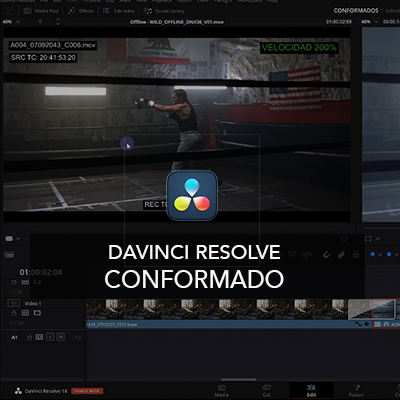
Online Course DaVinci Resolve Conforming

Initiation

Online Course DaVinci Resolve Conforming

50,00€ Original price was: 50,00€.32,00€Current price is: 32,00€.
Add to cart
Sale!
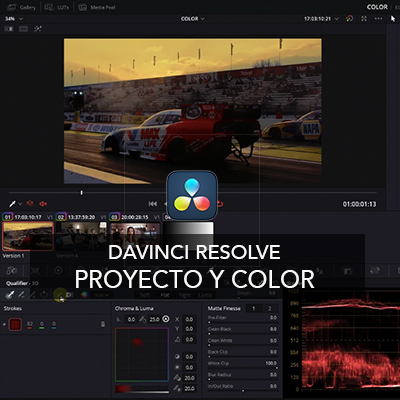
DaVinci Resolve Online Course: Project and Color

Intermediate

DaVinci Resolve Online Course: Project and Color

84,00€ Original price was: 84,00€.49,00€Current price is: 49,00€.
Add to cart
Sale!
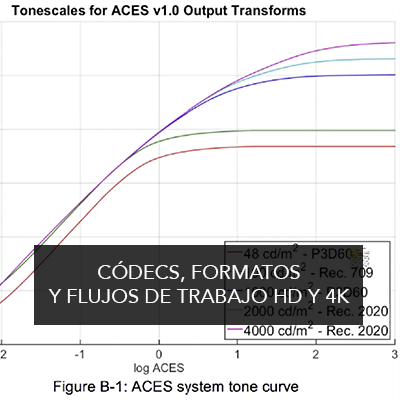
online codecs course

Intermediate

Online Course on Codecs, Formats, and HD and 4K Workflows

99,00€ Original price was: 99,00€.59,00€Current price is: 59,00€.
Add to cart
Sale!
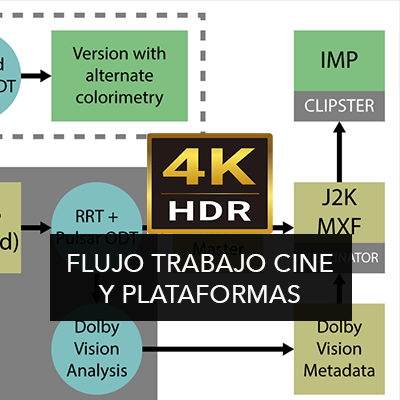
Online course Film Workflow and Platforms 🇪🇸🇬🇧

Advanced

Online course Film Workflow and Platforms 🇪🇸🇬🇧

50,00€ Original price was: 50,00€.35,00€Current price is: 35,00€.
Add to cart

Any questions? Check out our "how the courses work" section

They are very well structured courses given by real professionals and very easy to follow in order to deepen your knowledge of the tools.

Carlos / Alumno de los cursos de DaVinci. España

Good and affordable courses

Álvaro / Alumno de los cursos de color y DaVinci. España
training
  • Uncategorized
  • Initiation
  • Intermediate
  • Advanced
SIGN UP FOR FREE CONTENT AND OUR NEWSLETTER

  • Legal Notice, Privacy Policy and Cookies
Copyright 2026 ©
  • Online Courses
  • ENGLISH COURSES
  • Full Programs
  • Corporate training
  • How it Works
  • LIVE TRAINING
  • MORE
    • About Us
    • Free downloads
    • News
    • Tutorials
  • English
    • Español (Spanish)
  • Login
709 Media Room
Gestionar el Consentimiento de las Cookies
We use cookies to optimize our website and our service.
Funcional Always active
El almacenamiento o acceso técnico es estrictamente necesario para el propósito legítimo de permitir el uso de un servicio específico explícitamente solicitado por el abonado o usuario, o con el único propósito de llevar a cabo la transmisión de una comunicación a través de una red de comunicaciones electrónicas.
Preferencias
El almacenamiento o acceso técnico es necesario para la finalidad legítima de almacenar preferencias no solicitadas por el abonado o usuario.
Estadísticas
El almacenamiento o acceso técnico que es utilizado exclusivamente con fines estadísticos. El almacenamiento o acceso técnico que es utilizado exclusivamente con fines estadísticos anónimos. Sin una requerimiento, el cumplimiento voluntario por parte de su proveedor de servicios de Internet, o los registros adicionales de un tercero, la información almacenada o recuperada sólo para este propósito no se puede utilizar para identificarlo.
Marketing
El almacenamiento o acceso técnico es necesario para crear perfiles de usuario para enviar publicidad, o para rastrear al usuario en un sitio web o en varios sitios web con fines de marketing similares.
  • Manage options
  • Manage services
  • Manage {vendor_count} vendors
  • Read more about these purposes
View preferences
  • {title}
  • {title}
  • {title}

Login

Lost your password?

  • English
  • Español (Spanish)